

How to take good photos of your hotel with a phone
Caribbean light by month, exposure, white balance, formats and a shot list by area to photograph your hotel with your phone.
10 min read
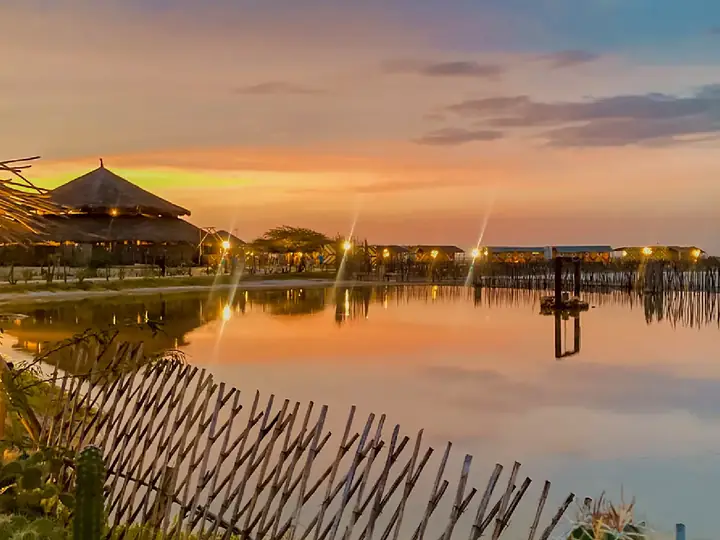
The hotel photos were taken three years ago, with a blown-out sky, a dim room and an orange cast that makes the sheets look dirty. Hiring a photographer every month is not realistic, and it is not necessary either: a current phone captures more than Instagram, Google and the OTAs need. Short answer: the difference between a photo that sells and one that scares people off comes down to three technical decisions that cost nothing: the time of day (the light), well-controlled exposure and white balance, and an honest frame from the right height. This guide explains each one, the camera settings we use, a shot list for every area of the hotel and how to publish without losing quality.
Technical summary
- What Instagram keeps: photos up to 1,080 pixels wide, with an aspect ratio between 1.91:1 and 3:4 (from 1080 × 566 to 1080 × 1440). Anything larger is scaled down to that width.
- Video for reels and stories: vertical 9:16. Shoot 4K at 30 frames per second for still scenes and at 60 for movement.
- Light on Colombia’s Caribbean coast: in Santa Marta and Barranquilla the sun rises between 5:30 a.m. and 6:20 a.m. and sets between 5:30 p.m. and 6:25 p.m., depending on the month. Usable warm light before sunset lasts about half an hour.
- Our kit: iPhone 17 Pro, with three 48 MP cameras (24 mm, 13 mm and 100 mm), 4K Dolby Vision up to 120 frames per second, ProRAW, Action mode up to 2.8K at 60 frames per second and Cinematic mode up to 4K at 30. We edit in Adobe Creative Cloud on a MacBook Pro.
- People in photos: in Colombia, an image of an identifiable person is personal data (Law 1581 of 2012). Publishing it requires prior, express and informed authorization.
Light: when to shoot
Between 10:00 a.m. and 3:00 p.m. the Caribbean sun is almost overhead: hard shadows under objects, a white sky and colorless water. The two good windows are first and last light. At 11 degrees north latitude the sun drops almost vertically, about 15 degrees per hour, so the stretch with the sun less than 6 degrees above the horizon (the so-called golden hour) lasts around 25 minutes. You need to arrive with your shots planned.
| Month | Sunrise | Sunset | Start shooting the sunset |
|---|---|---|---|
| January | 6:20 a.m. | 5:50 p.m. | 5:20 p.m. |
| February and March | 6:05 to 6:20 a.m. | 6:05 p.m. | 5:30 p.m. |
| April and May | 5:35 to 5:45 a.m. | 6:10 p.m. | 5:35 p.m. |
| June and July | 5:35 to 5:40 a.m. | 6:20 to 6:25 p.m. | 5:45 p.m. |
| August and September | 5:45 a.m. | 6:00 to 6:15 p.m. | 5:30 p.m. |
| October and November | 5:45 to 5:55 a.m. | 5:30 to 5:40 p.m. | 5:00 p.m. |
| December | 6:05 a.m. | 5:35 p.m. | 5:00 p.m. |
Approximate times for Santa Marta (Barranquilla runs two or three minutes later), calculated with the NOAA solar calculator; they shift a few minutes within each month. After sunset there are about 20 minutes of blue hour: the sky still has color and the hotel lights already show. That is the moment for the lit facade and pool.
Exposure: what the phone does and when to correct it
Exposure is how much light the photo records. The iPhone sets it automatically based on what you tap on screen and, with Smart HDR, combines several frames to keep detail in highlights and shadows. It fails in one typical hotel case: an interior room with a sea-view window. If it exposes for the room, the window turns white; if it exposes for the window, the room goes dark.
- Tap the important spot and drag the sun icon up or down to adjust exposure.
- Lock it: hold your finger on the spot until AE/AF Lock appears. That way it does not change between shots and every photo of the room matches.
- For high-contrast scenes, shoot ProRAW: it keeps more highlight, shadow and color information so you can recover the window when editing.
- If the window cannot be recovered, wait for the afternoon, when outside light drops and balances with the light inside.
White balance: the orange cast that looks dirty
Every light source has a color temperature: daylight is around 5,500 K and a warm bulb between 2,700 and 3,000 K. The camera can only neutralize one. If you mix window light with warm bulbs, part of the photo turns bluish and part orange, and white sheets look dirty. Rule: during the day, turn off every light and use only the window; at dusk, turn them all on and shoot once it is dark outside. For video, turn on Lock White Balance (Settings, Camera, Record Video) so the color does not shift as you move through the space.
Formats: HEIF, JPEG or ProRAW
| Format | Resolution on iPhone 17 Pro | Approximate size | When to use it |
|---|---|---|---|
| HEIF (High Efficiency) | 24 MP by default; 48 MP with resolution control | Small | Social media and everyday use |
| JPEG (Most Compatible) | Same as HEIF | Somewhat larger | If you will send files to older devices |
| ProRAW (DNG) | 12 or 48 MP | About 25 MB at 12 MP and 75 MB at 48 MP | Rooms with windows, facade, website and OTA photos |
ProRAW takes 10 to 12 times more space than HEIF or JPEG and does not work with Live Photos, Portrait mode or video. For a shoot of 60 ProRAW photos at 48 MP, budget about 4.5 GB. Turn it on under Settings, Camera, Formats, ProRAW & Resolution Control.
Video: the settings we use
- 4K at 30 frames per second for rooms, details and still shots. 4K at 60 when there is movement (water, people walking) or if you want to slow the shot down in editing.
- Enhanced Stabilization on (it is on by default and crops the image slightly). For walking or riding a boat, Action mode, which stabilizes more with a 2.8K maximum and works best in good light.
- Cinematic mode to blur the background on shots of people, up to 4K at 30 frames per second.
- Lock Camera (Settings, Camera, Record Video) so the iPhone does not switch lenses mid-shot.
- HDR video: the iPhone records in HDR and shares an SDR version with devices that do not support it. As our own practice, we deliver SDR from Premiere Pro to control how it looks on any phone.
Clips of 5 to 8 seconds, always vertical for reels. Ten good clips make a reel; one long take does not.
Composition: five rules
- Grid and level. Turn them on in Settings, Camera. A crooked horizon or door frame shows instantly.
- From the corner, at chest height (1.20 to 1.40 m). It shows the real space without distorting furniture.
- The 24 mm main lens first. The 13 mm ultra wide makes small things look big, and guests complain about it in reviews. Use it only in tight bathrooms, with lens correction on.
- Straight verticals. Tilting the phone up makes walls “fall”. Keep it parallel to the wall.
- The view goes in the photo. If you can see the sea from the bed, that is the room photo.
Shot list by area
| Area | Photos | Video (5 to 8 s clips) | Best time |
|---|---|---|---|
| Facade and entrance | Level front view, 3/4 view with sky | Walking up to the door | Blue hour, lights on |
| Reception | Wide and welcome detail | Key handover or welcome drink | Morning |
| Each room type | Wide from corner, bed, bathroom, view, texture detail | Curtain opening onto the view | 9:00 to 11:00 a.m., lights off |
| Bathroom | Wide and shower | Running water | Morning |
| Pool and common areas | Wide, empty and with people | Stepping into the water, slow pan | First light or sunset |
| Restaurant and breakfast | Set table, overhead plate, someone serving | Coffee being poured, plate arriving at the table | 7:30 to 9:00 a.m. |
| Team | Portrait of each area | Answering a frequent question | Shade or indoors |
| Surroundings and destination | Beach, river, street, market | Long, steady sunset shots | Last hour of light |
That covers the website, Google profile, OTAs and a month of social media. How to spread that material across posts is in what to post every week on your hotel Instagram.
Preparing the space before shooting
- Bed made with tight corners and pillows standing up.
- Remove cables, remotes, bins, signs and cleaning products.
- Towels folded the same way in every room.
- One living element: a plant, fruit, a book.
- Clean lens. The iPhone warns you if it detects a smudged lens; on the coast, salt and sunscreen fog it quickly.
Minimal editing
In Lightroom or the Photos app: straighten, lift exposure slightly, pull highlights down to recover the sky, lift shadows a little and correct white balance using something white as reference. Export at 1,080 pixels wide in 4:5 (1080 × 1350) or 3:4 (1080 × 1440). Heavy saturation and blue filters make the photo look unlike the place, and that comes back as a negative review.
People in photos: what the law requires
Colombia’s Superintendence of Industry and Commerce (SIC) states that a photo in which a person can be identified is personal data governed by Law 1581 of 2012. Using it for advertising requires prior, express and informed authorization that states the purpose and is obtained through a means that can be checked later (a saved WhatsApp message works). For children and adolescents the law prohibits processing except for public data: do not publish them. A message for guests:
Hi {{name}}, we took some photos and videos during your stay in which you appear. Do you authorize us to publish them on the hotel’s Instagram, Facebook and website for promotional purposes? You can ask us to remove them at any time by replying to this chat.
A worked example
Hypothetical example: a 22-room hotel in Taganga with three room types runs its own shoot day in September (sunset around 6:00 p.m.).
| Block | Time | Material |
|---|---|---|
| First light: bay, empty pool, coffee | 5:45 to 7:00 a.m. | 10 photos, 12 clips |
| Breakfast and team | 7:30 to 9:00 a.m. | 8 photos, 10 clips |
| Three room types and bathrooms (ProRAW) | 9:00 a.m. to 12:00 p.m. | 30 photos, 12 clips |
| Sunset and blue hour | 5:30 to 6:20 p.m. | 12 photos, 16 clips |
| Total | About 6 effective hours | 60 photos, 50 clips |
From 50 clips you can edit 8 to 10 reels, and the 60 photos cover a month of carousels, the Google profile and an OTA refresh. The 30 room photos in ProRAW at 48 MP take about 2.3 GB: bring a phone with free space or offload midway through the day.
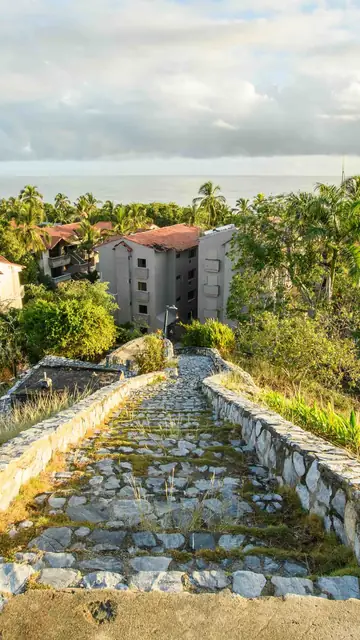
Mistakes that cost bookings
- Wide angle in small rooms. The review will say “smaller than in the photos”.
- Shooting the pool and beach at noon: white sky, gray water.
- Mixing daylight and warm bulbs in the same shot.
- Publishing guests without authorization, let alone minors.
- Uploading 4:3 or 16:9 photos without cropping: Instagram crops them to a supported ratio and can cut off what matters.
When to hire a professional
For the website, OTAs and Google profile, a professional session once a year or when you renovate makes sense. For social media, the phone is enough. Our social media management Growth plan (COP $2,100,000/month) includes one monthly shoot visit on iPhone 17 Pro with 4 reels; professional video production is quoted separately from COP $7,000,000. Before promoting those photos, read how much to spend on Meta Ads.
Frequently asked questions
What phone do I need for hotel photos?
Any mid-range or high-end model from recent years works for social media, because Instagram publishes photos at 1,080 pixels wide. A model with a RAW format helps with rooms that have windows and with website photos.
What is the best size for Instagram photos?
1,080 pixels wide in 4:5 (1080 × 1350) or 3:4 (1080 × 1440). Instagram keeps the original resolution between 1.91:1 and 3:4 and crops anything outside that range.
Should I shoot 4K at 30 or 60 frames per second?
30 for still shots and rooms; 60 when there is movement or you plan to slow the shot down. More frames and higher resolution produce larger files.
Can I post photos of guests?
Only with their prior, express and informed authorization, stating the purpose and kept on record, because an image of an identifiable person is personal data under Law 1581 of 2012. Minors, no.
Is it worth shooting ProRAW?
For rooms with windows, the facade and website or OTA photos, yes: it keeps more highlight and shadow detail for editing. For stories and everyday posts, HEIF is enough and takes 10 to 12 times less space.
Sources: Apple, iPhone 17 Pro tech specs, Apple ProRAW, camera tools, video settings and recording video; Instagram Help Center on photo resolution; NOAA solar calculator; Law 1581 of 2012; Superintendence of Industry and Commerce, guide on photos as personal data. Accessed September 2026.
If you would rather we come and shoot one day a month, request a quote and we will tell you which plan fits your hotel.
Instagram, Facebook and TikTok management with content, design, community replies and reports.
Keep reading
-
Social Media Management
What to post every week on your hotel Instagram
A weekly and monthly calendar for a hotel Instagram: five content types, each format's limits, how to schedule it and what to measure.
September 24, 20269 min read -
Social Media Management
How to reply fast without living on your phone
Automatic reply, ten saved replies and shifts with a target response time: the system to answer fast without hiring anyone, and what it costs.
September 18, 20269 min read -
Social Media Management
Community manager in Barranquilla: what they do and what it costs
What a Barranquilla community manager should deliver, 2026 prices, which response time to demand and how to keep the accounts in your name.
August 25, 202611 min read